1Voice Portal
A phone system customers run themselves
- Industry
- Telephony, customer portal
- Year
- 2024 — ongoing
- What we did
- Product design, front end, GraphQL API, integrations
- Site languages
- EN
- GraphQL operations behind the portal
- 169
- Statistics views, plus scheduled PDF reports
- 5
- Permissions in the role matrix
- 25
Overview
The 1Voice portal is where business customers run their phone system: extensions, numbers, call flows, voicemail, texting, reports, billing, hardware orders and their own team. We designed and built it as a React app over a Laravel GraphQL API that works directly with the hosted PBX, the SMS carrier and the billing system.
- 01Number
- 02Schedule
- 03Voice menu
- 04Queue
- 05Voicemail
Any call can be followed to the step where it was answered.
- PBX
- Carrier
- Billing
- Customer portal
- Audit log
Access is built from 25 permissions and team scopes.
01 — Challenge
A hosted PBX can do almost anything, but every change a customer cannot make alone — a new extension, a holiday schedule, an extra menu option — turns into a support ticket. 1Voice needed customers to edit their own call routing, read their call data, set up texting and pay invoices, without exposing PBX internals or letting one company see another's data.
02 — What we built
We wrapped the PBX, the carrier and the billing system in 169 GraphQL operations and a portal organized around what customers actually manage: extensions, numbers, ring groups, queues, voice menus and schedules. Access runs on roles built from 25 permissions and on teams that limit members to specific numbers and extensions, and every change lands in an audit log.
03 — Result
Customers configure the whole call path — number, schedule, voice menu, queue, voicemail — and can follow any call to the step where it was answered. Billing, invoices and hardware orders sit in the same account, so routine changes no longer wait for support.
Call flow
Customers build their own call path: send each number to an extension, ring group, voice menu or voicemail, add business hours and closed dates, and set up queues with wrap-up time and position announcements. Menu greetings can be uploaded or generated from text with AI voices.
- Voice menus with a destination for every digit and a fallback
- Ring groups and call queues with agent and hold settings
- Weekly schedules and closed dates on numbers, menus, queues
Reports and call tracking
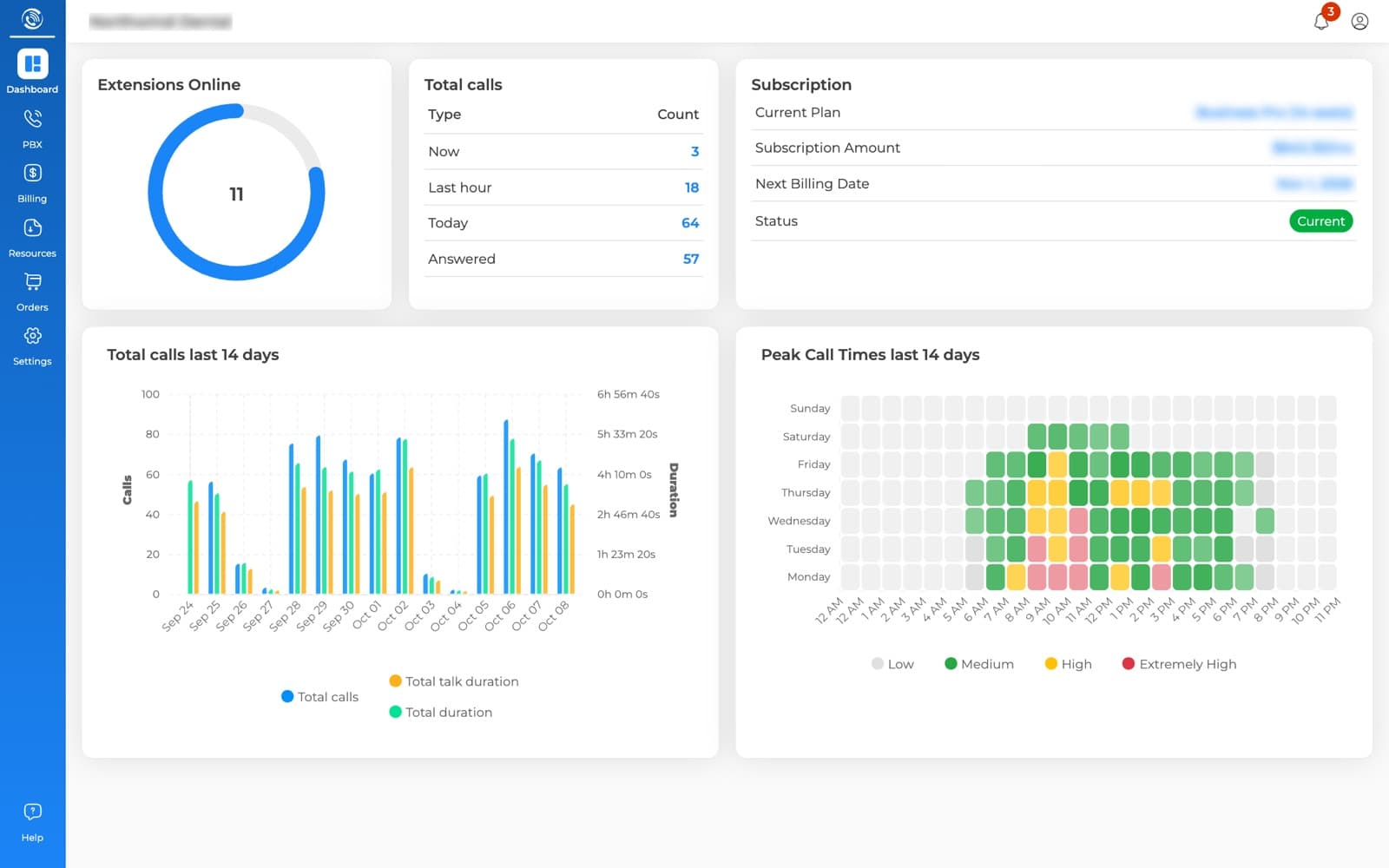
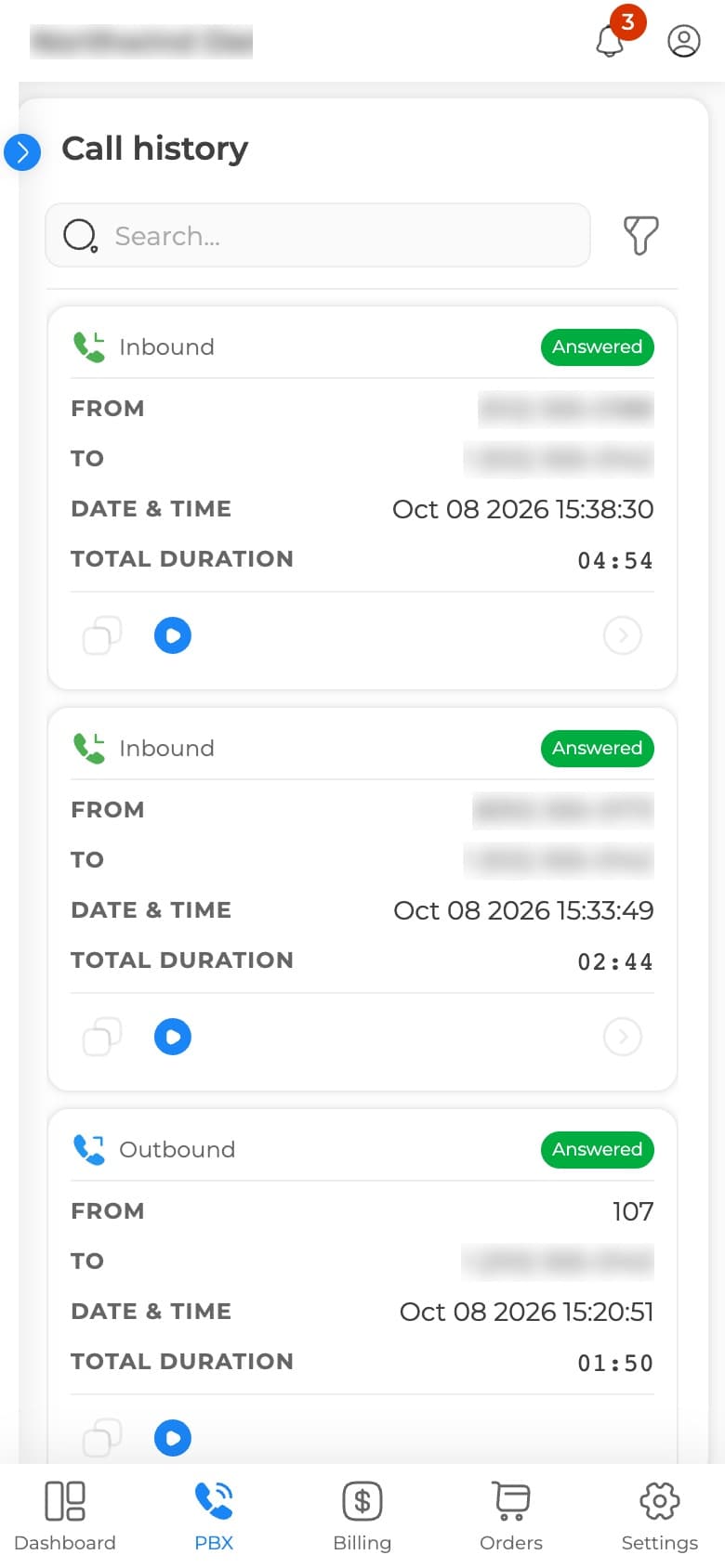
Any call can be followed through its journey — number, menu, queue, agent — with the recording on a waveform player. Five statistics views cover traffic, extensions, menus, queues and tagged tracking numbers, and any mix of them can be emailed as a PDF on an hourly-to-monthly schedule.
- Call history with the call journey and recording playback
- Tagged tracking numbers: answered, missed, unique callers
- Scheduled PDF reports to members or any email address
SMS automations
Texts go out on their own when a call ends a certain way: a missed call gets a text-back, an after-hours voicemail gets an auto-reply, a missed call on the billing line alerts the office manager. Each rule runs on its own schedule, and the portal walks customers through 10DLC brand and campaign registration.
- Rules by call outcome: missed, answered, busy, voicemail
- Sent to the caller, the callee or fixed numbers, on a schedule
- 10DLC brand and campaign registration built in
Billing, orders and team
Invoices, subscriptions, credit notes, estimates and payment methods are read live from the billing system, and invoices can be paid right in the portal. Customers order desk phones and headsets with shipping quotes and delivery tracking, and invite colleagues with a role and team-level access.
- Invoices paid by saved card or bank account, PDFs on demand
- Hardware store with shipping quotes and delivery tracking
- Roles, teams and an audit log of every change
Key decisions
- Every GraphQL request carries the active company, so one login can switch between companies, and each switch is written to the audit log.
- Teams scope what a member sees down to specific numbers, extensions, menus, queues and voicemail boxes.
- When the PBX reports a finished call, a queued listener matches it against the company's SMS rules and sends the texts.
- Scheduled reports are rendered to PDF on the server and emailed hourly, daily, weekly or monthly.